Hybrid III 6 y/o Lab
BME254L - Spring 2026 - Palmeri
Tasks
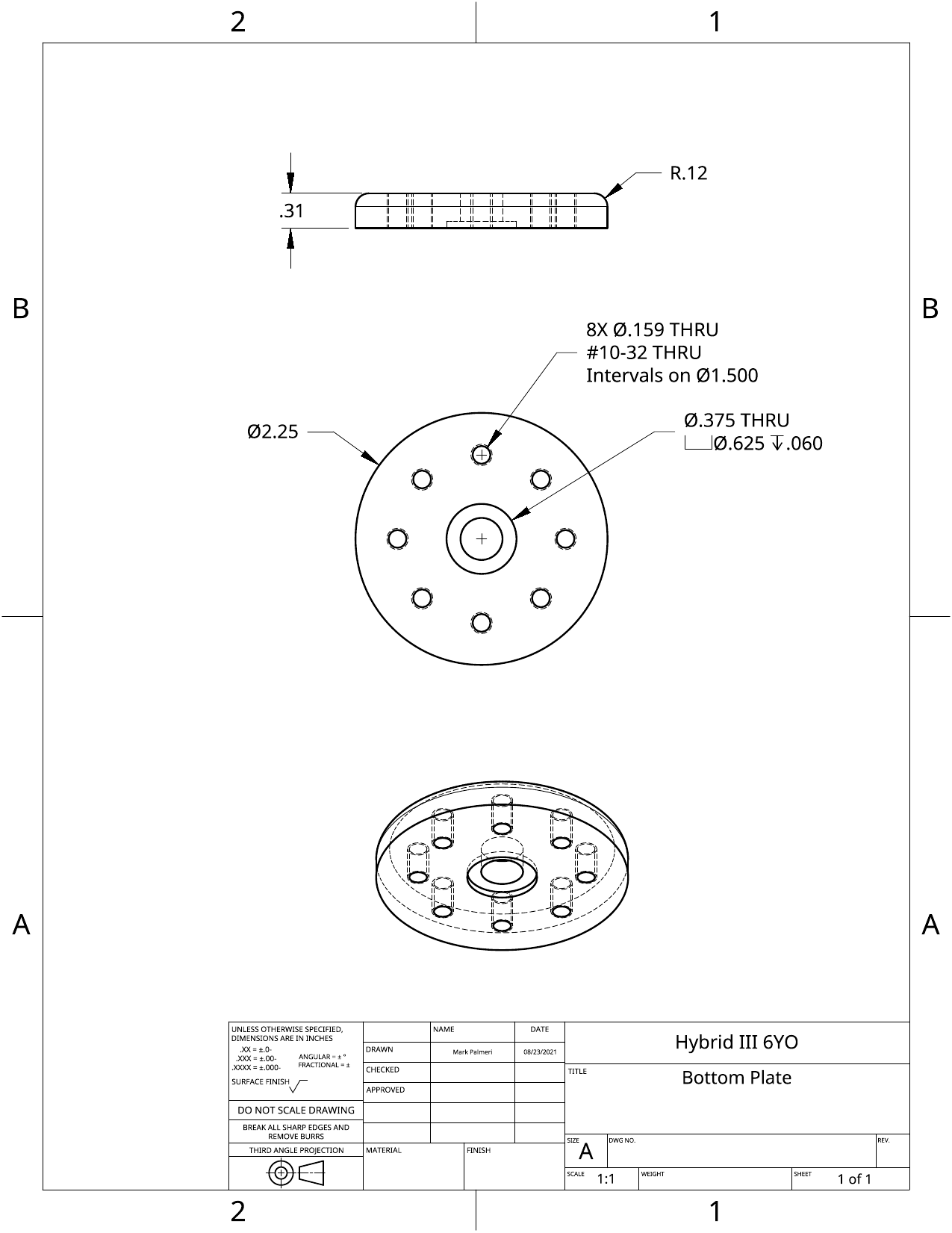
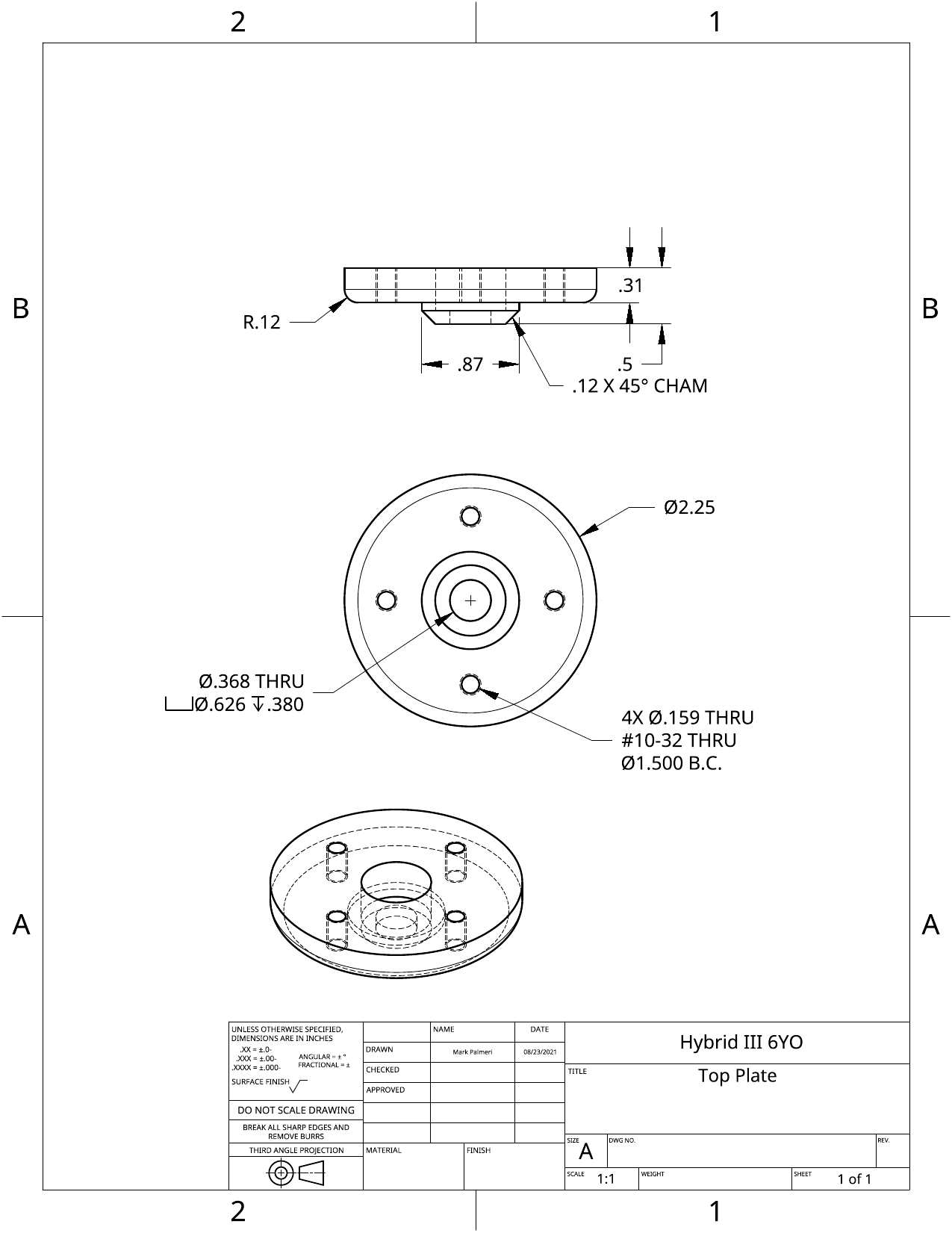
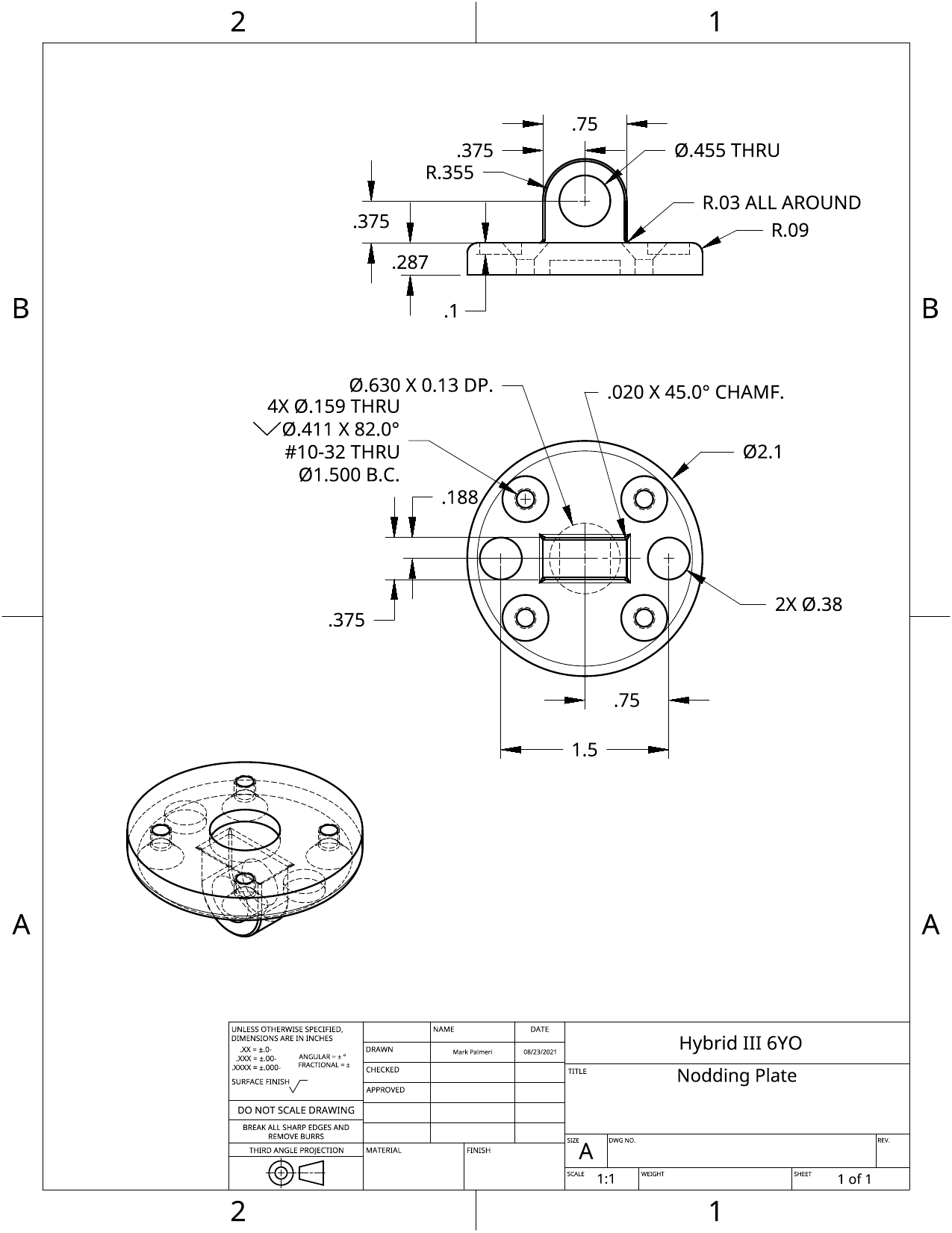
Create all of the parts for the Hybrid III 6yo test setup based on the attached drawings.
You should create all of these parts and their associated drawings and assemblies as part of the same “Document” and share that document with Dr. Palmeri and the TA(s).
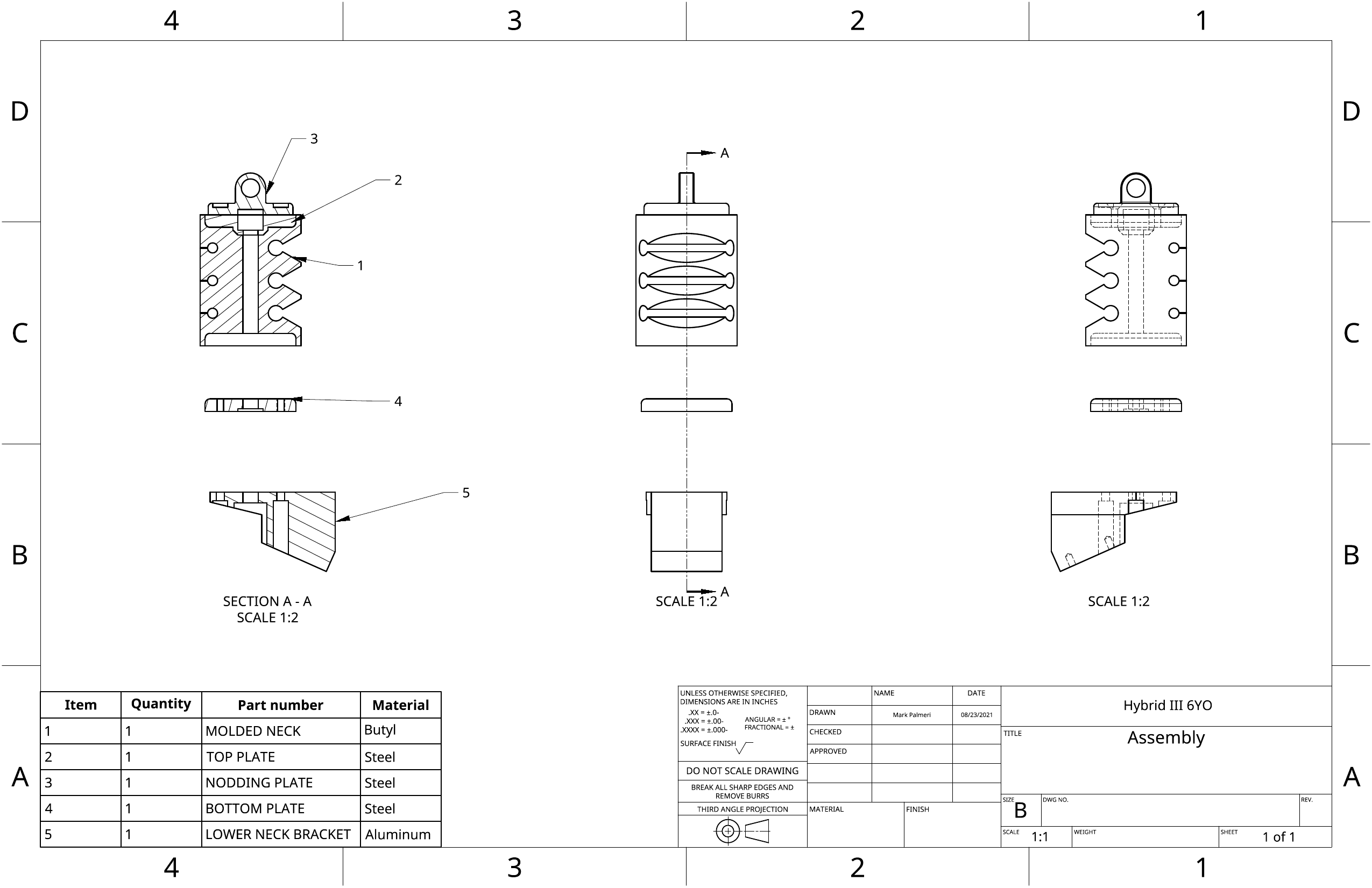
Create the mechanical drawings associated with each of those parts (i.e., recreate the drawings that you are using to generate the parts) and the assembly.
Assemble your parts as guided by the assembly diagram and as shown in the uploaded animation.
There are online tutorials on Assemblies if you need some refreshers:
What to submit
Upload mechanical drawings of the part for all of your parts to the Hybrid III 6 y/o Canvas assignment. This can be done as one file per part or as a single PDF file with all of the drawings.
Bottom Plate
Top Plate
Nodding Plate
Molded Neck
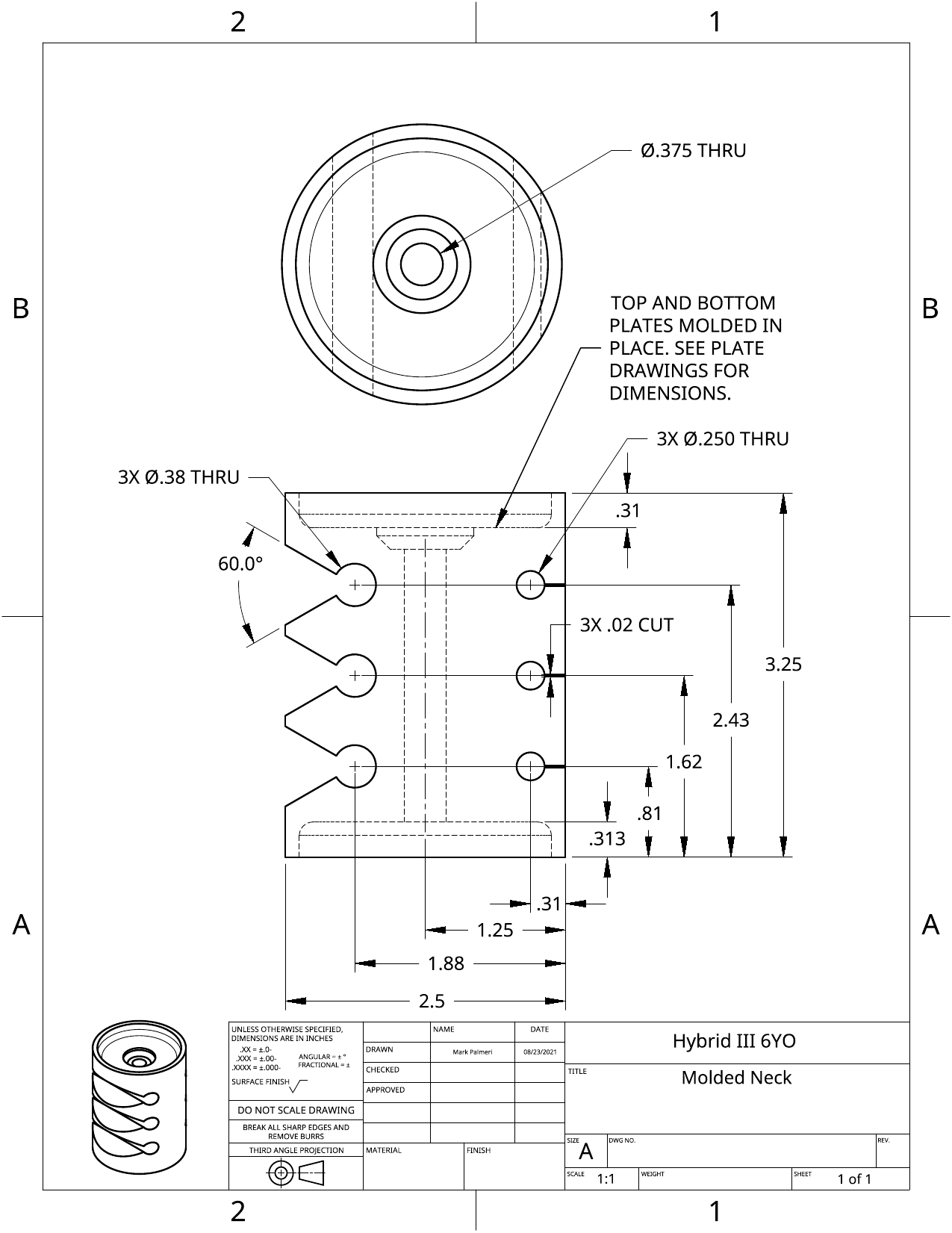
Note that the this part has features that are dependent on the top and bottom plates. To reduce the overhead of manually entering these dimensions from the other parts, you can use the Derived tool in Onshape to bring in the relevant faces from the other parts. Those parts do have holes in them that might create challenges, so you might want to have a version of the part without holes, a derived version with holes, and then used the non-hole part to create this derived part.
https://cad.onshape.com/help/Content/derived.htm#StepsDesktop
Lower Neck Bracket
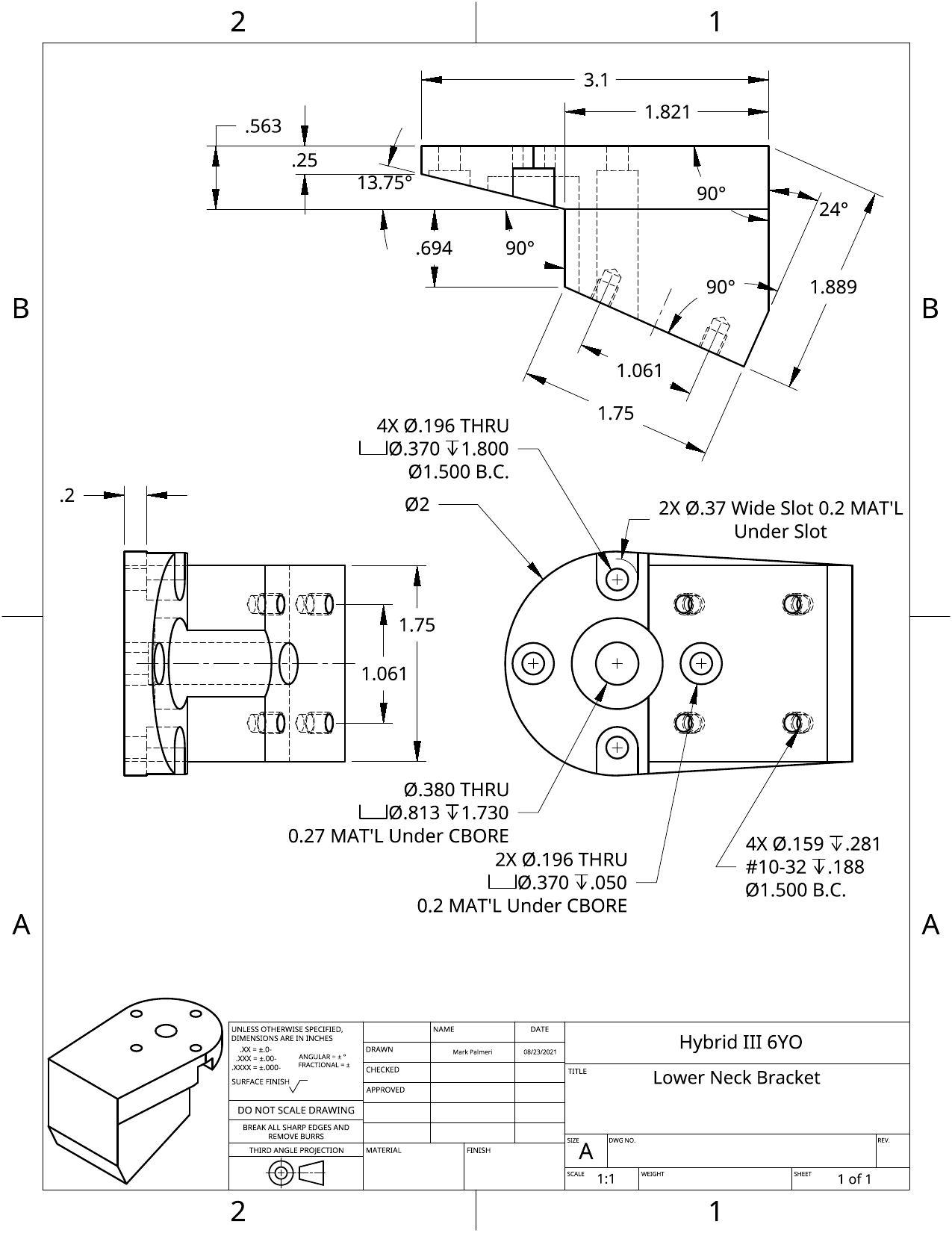
Note that some of the counterbore holes “start” at positions that are not on the physical part. You can determine these positions by the lengths of the counterbores and the material under the counterbores.
Load Cell
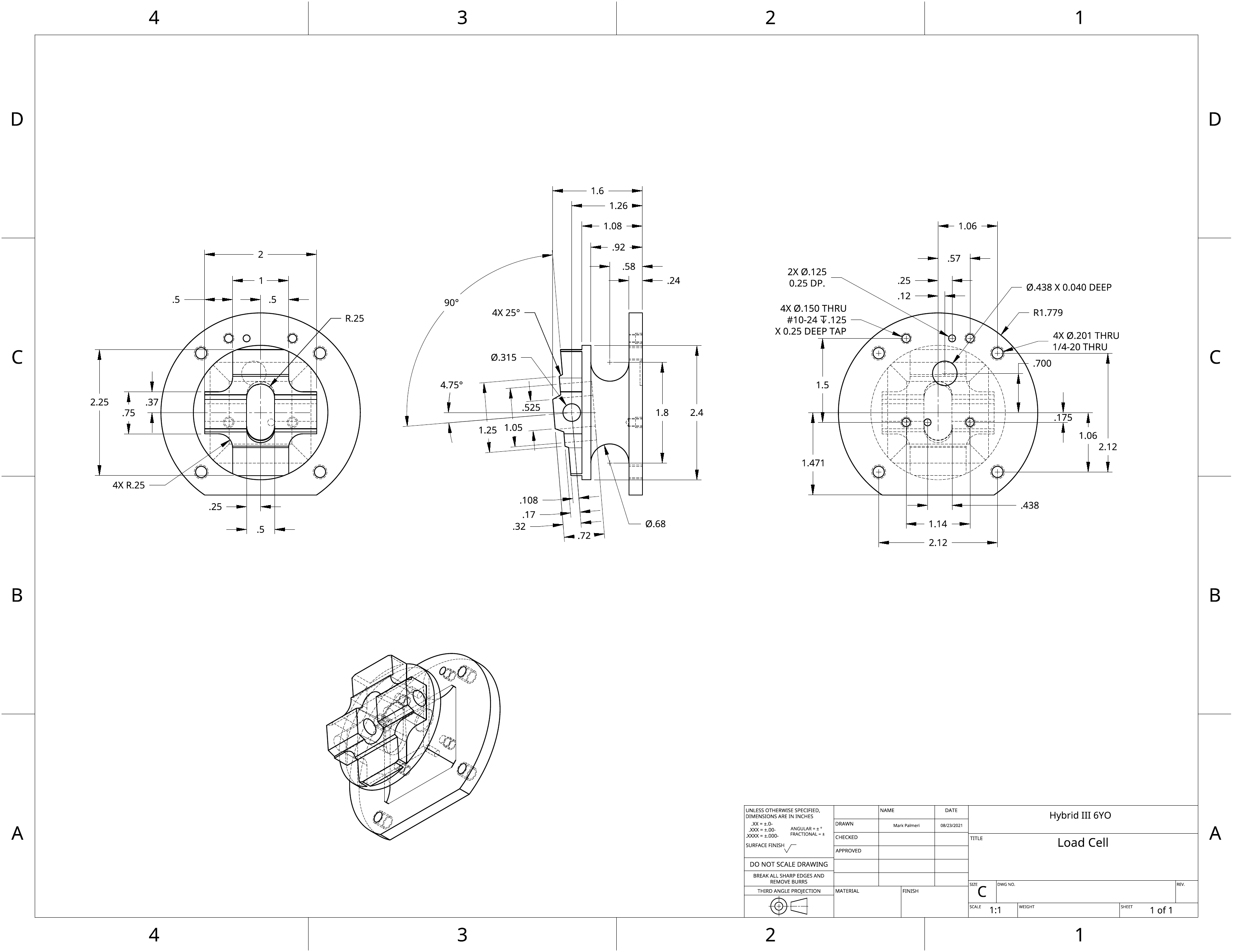
The Loft tool can be used to create the material between two part surfaces. In this case, the lofted material will need to be modified to create the curved surfaces.
Assembly